Skip to content
TrophyGG
AboutTrophyGG+
Sign inSign upDownload
TrophyGG

Record, edit and share your best plays.

Product

  • Record
  • Studio
  • Social
  • Cloud
  • Download
  • TrophyGG+
  • What's new

Company

  • About
  • Telegram channel
  • Message on Telegram

Legal

  • Privacy
  • Terms
© 2026 TrophyGGTrophyGG is not affiliated with Valve or Steam.
Free for Windows · CS2 and Dota 2

Every great play, saved.

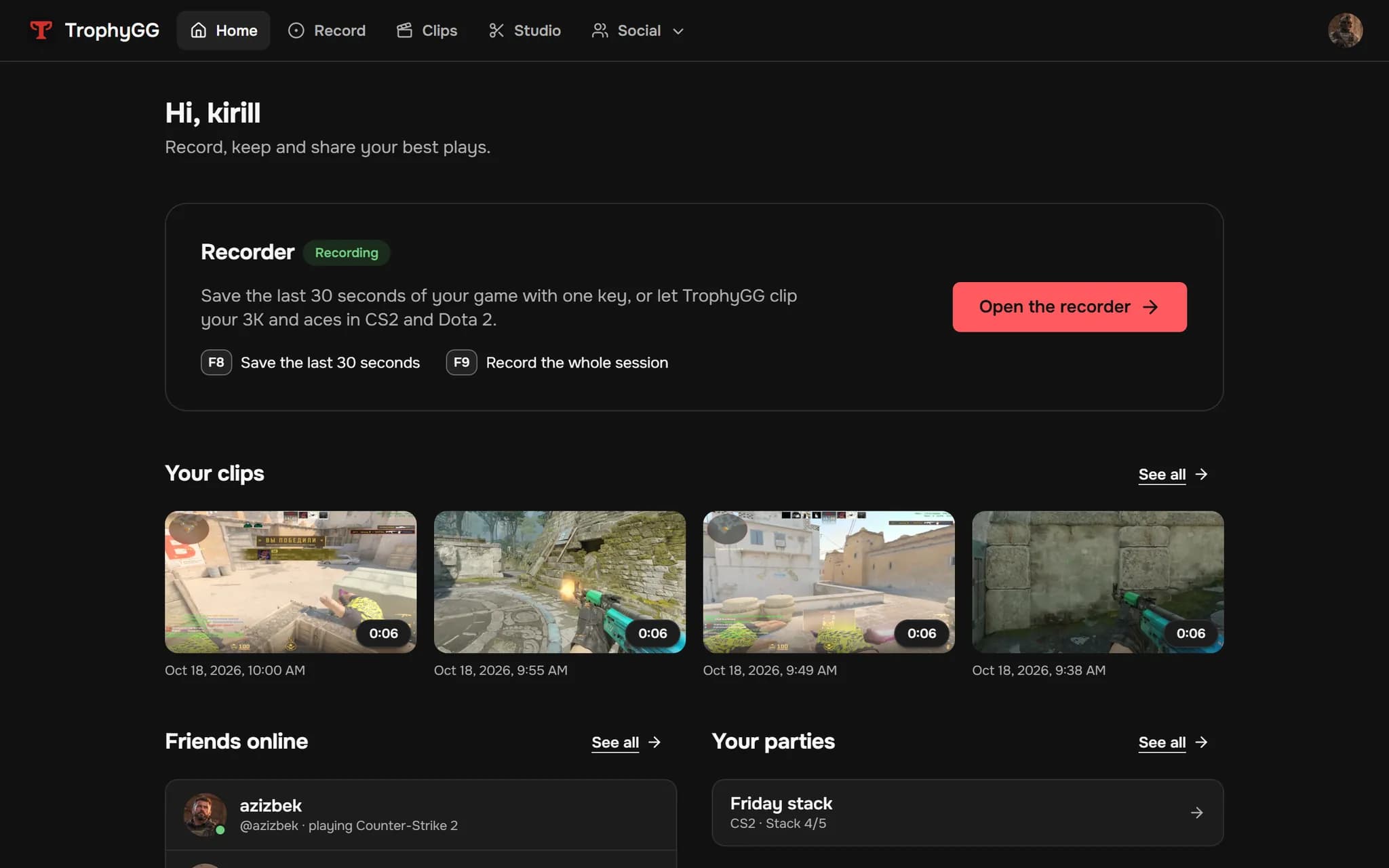
TrophyGG records in the background while you play. Press F8 and the last 30 seconds become a clip, or let it catch your multi-kills in CS2 and Dota 2 by itself.

See how it works

Free · Windows 10 and 11 · Mac with Apple Silicon

TrophyGG
The TrophyGG app: the recorder, the latest clips and friends who are online

Record

Press F8. It’s a clip.

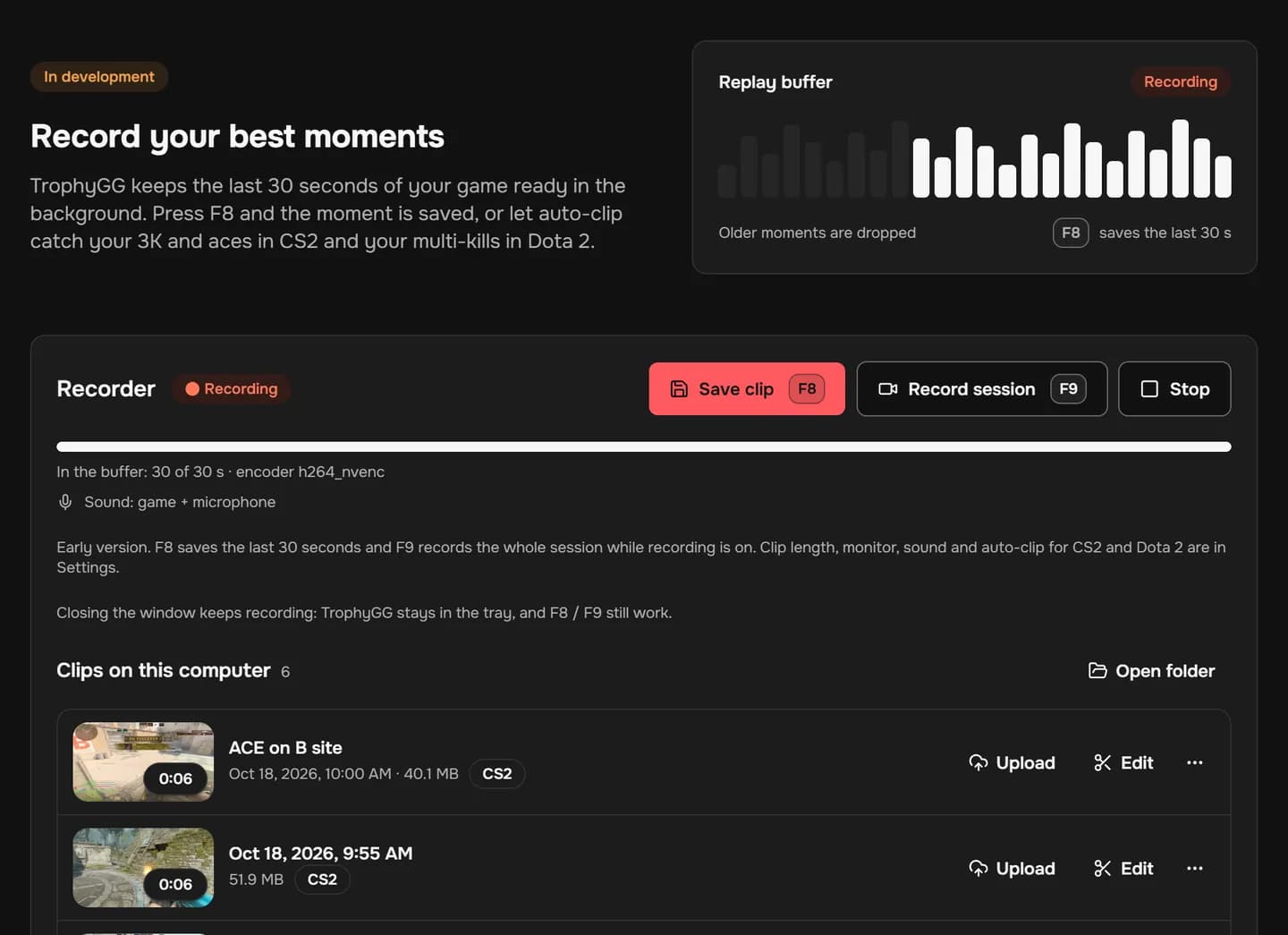
The recorder keeps the last moments of your game ready. Save them with one key, without leaving the game.

The Record page: the recorder is on, and the clips saved on this computer
  • Replay bufferAlways holds the last 30 seconds. Set any length from 5 seconds to 10 minutes.
  • Auto-clip in CS2 and Dota 23Ks, aces and Dota 2 multi-kills are saved by themselves, a few seconds after the last kill.
  • Game sound and your micBoth are mixed into one track.
  • Your graphics card does the workHardware encoding on NVIDIA, AMD or Intel for smooth 60 fps.
  • Whole sessionsPress F9 to record a whole match.

Trophy StudioEarly preview

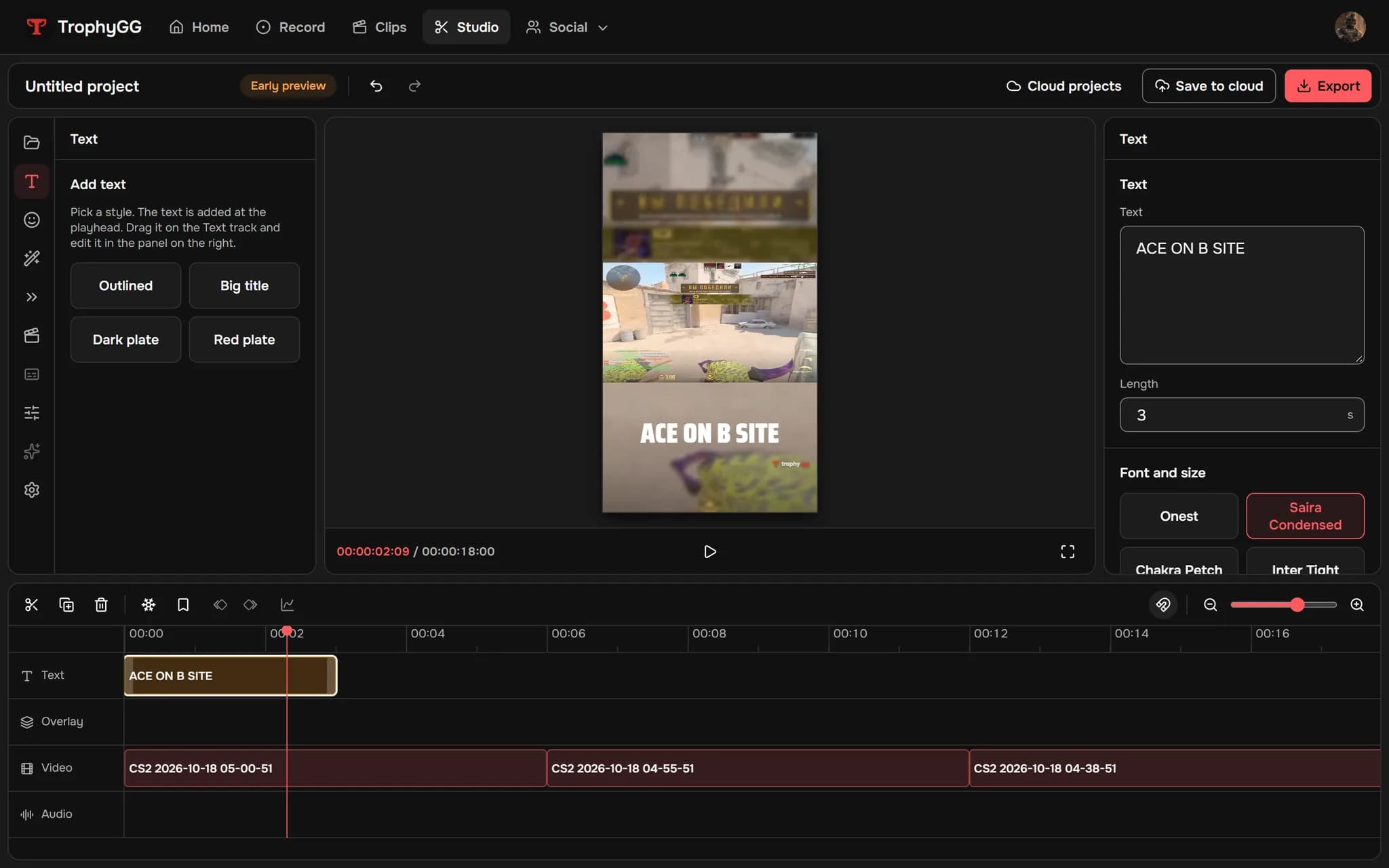
Turn clips into videos.

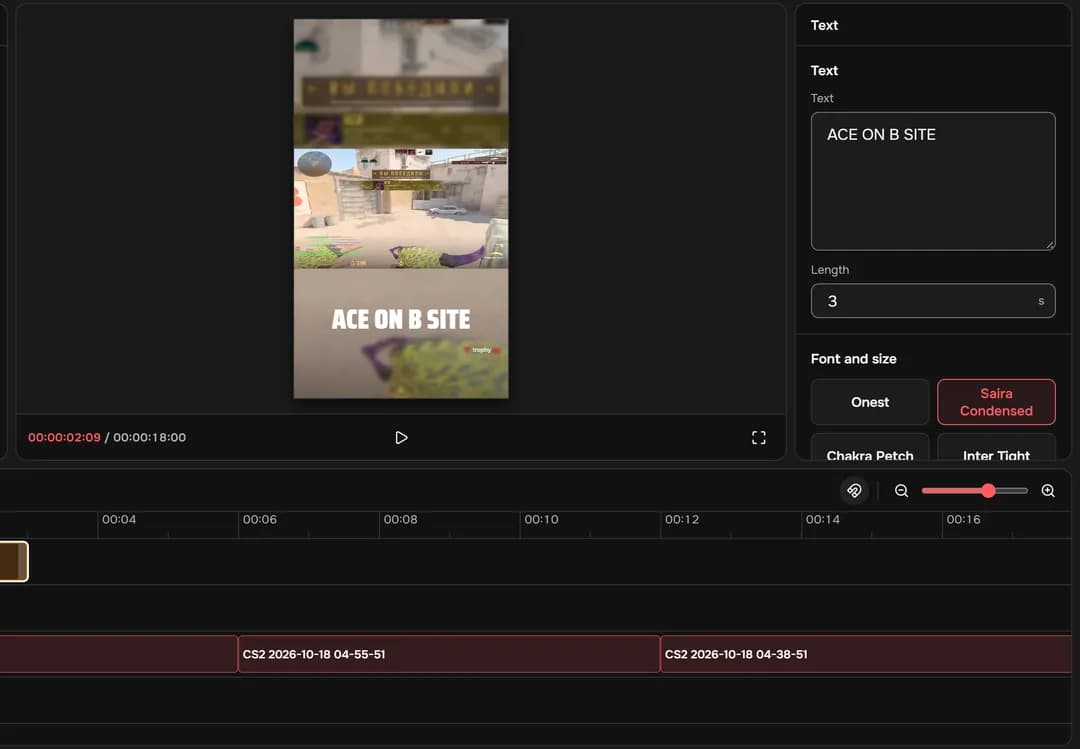
Put your clips on a timeline, add titles and effects, and export a vertical video for TikTok, Reels and Shorts, right in the app.

TrophyGG
Trophy Studio: three clips on the timeline, a title over the video and its text settings
  • Timeline with split and undo
  • Text styles
  • Stickers
  • Effects and transitions
  • Color adjustment
  • TrophyGG intro and outro
  • MP4 in 9:16, 16:9, 4:3, 1:1 and 4:5
Coming soon:AI toolsAuto captions

Social

Your friends, one click away.

See who is online and what they play right now.

Friends: who is online and what they are playing

Friends

Online status and the game they are in right now.

Coming soon:ChatsVoice chat

Cloud

From your PC to any screen.

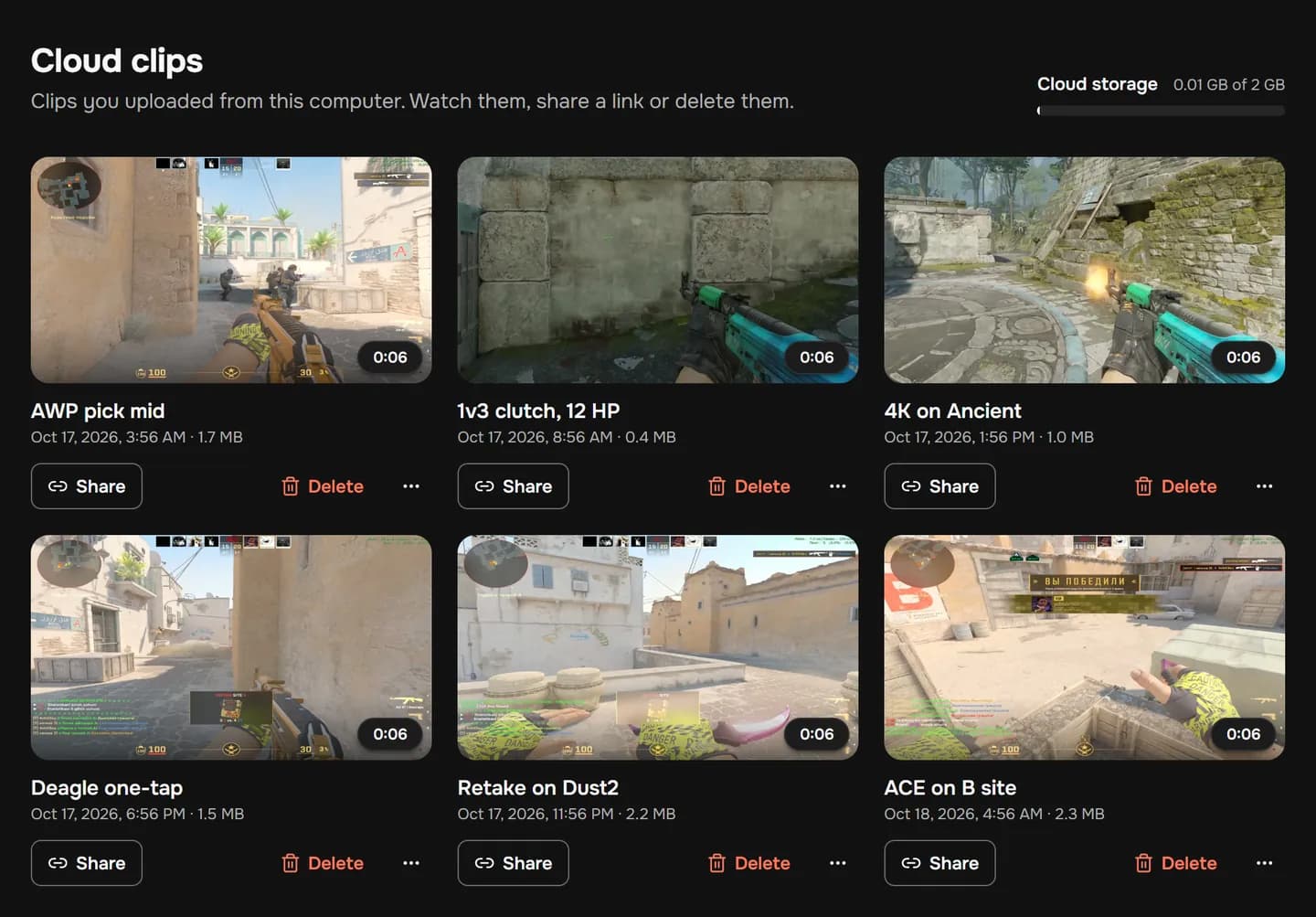
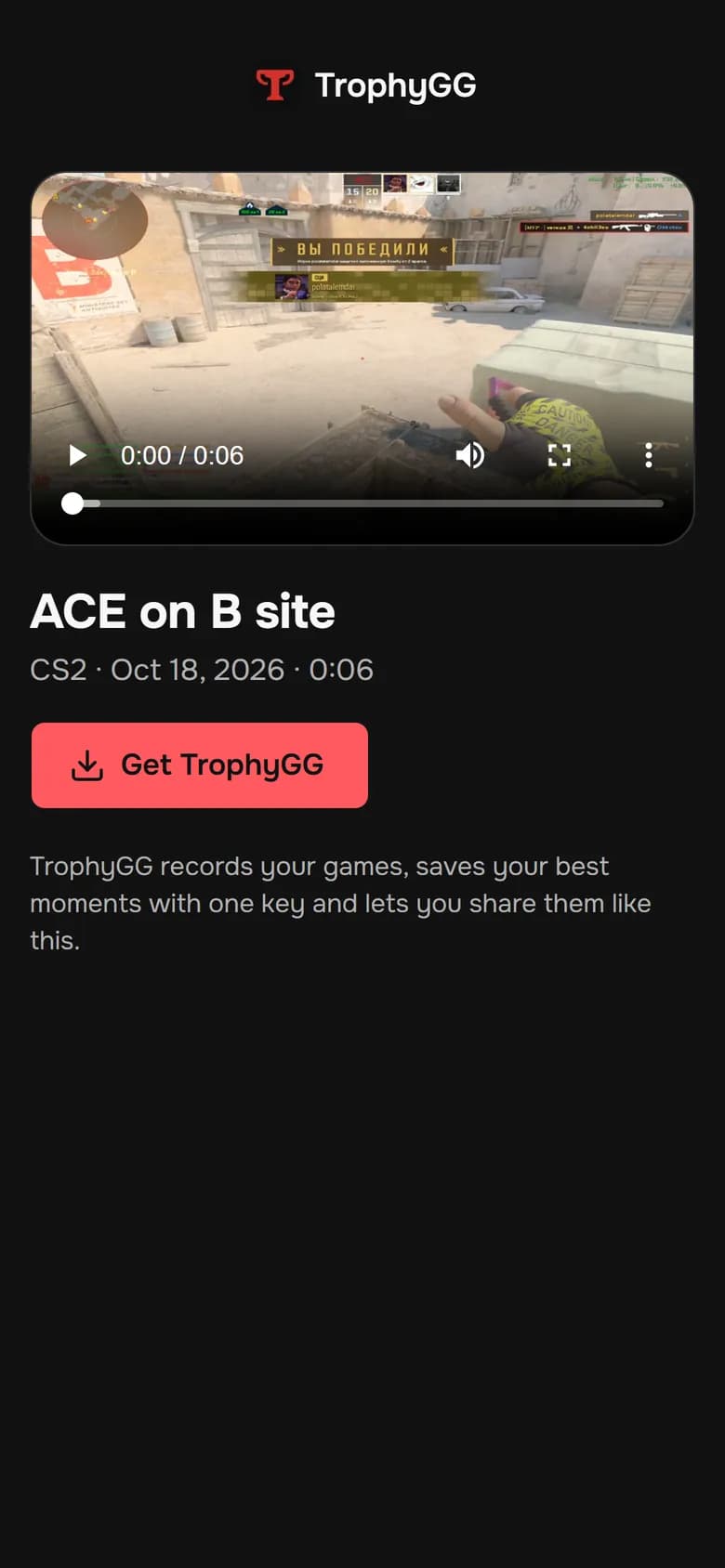
Upload a clip to your cloud library and send the link. It opens in any browser, on any phone, without an account.

  • 2 GB freePrivate cloud storage for your clips, visible only to you.
  • Links you controlTurn on a link for any clip, and turn it off again to stop it working.
Cloud clips in the app, each with Share and Delete
A shared clip opened on a phone

And there is more

Player profile

Your handle, picture, main game, city and best clips on one page.
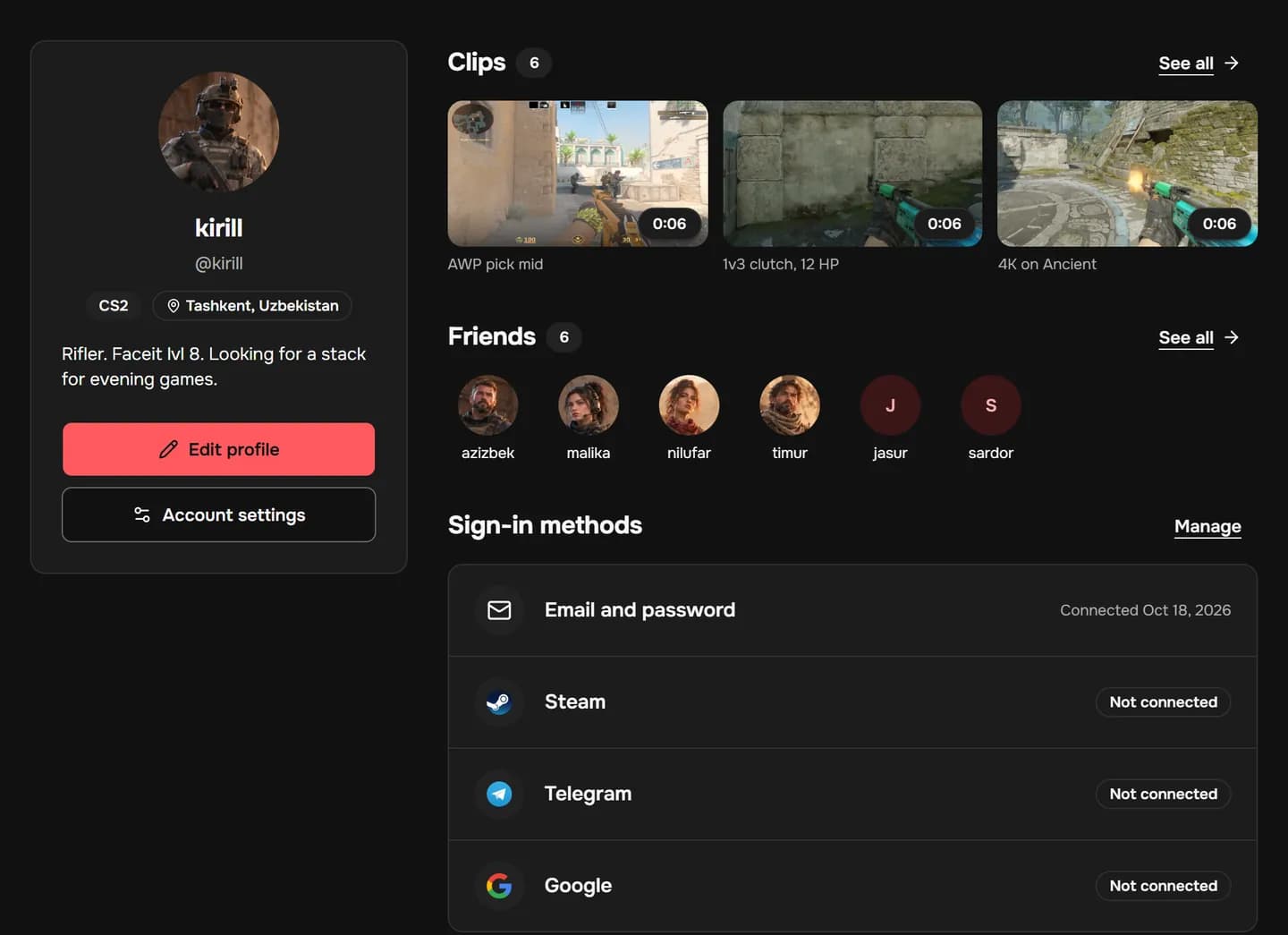
A player profile with clips and friends

Sign in your way

Steam, Telegram, Google or email.

Made for computer clubs

Tick “This is a public computer” and the app signs you out when it closes.

Your library on your PC

Rename, search and open your clips in Studio, or move them to the Recycle Bin.

Coming soon

  • Feed
  • Match movie

Your next ace is already a clip.

Install TrophyGG, sign in and press F8 in your next match. It’s free.

Free · Windows 10 and 11 · Mac with Apple Silicon
Download
Download